Layer
Contributors


Funding


Layer
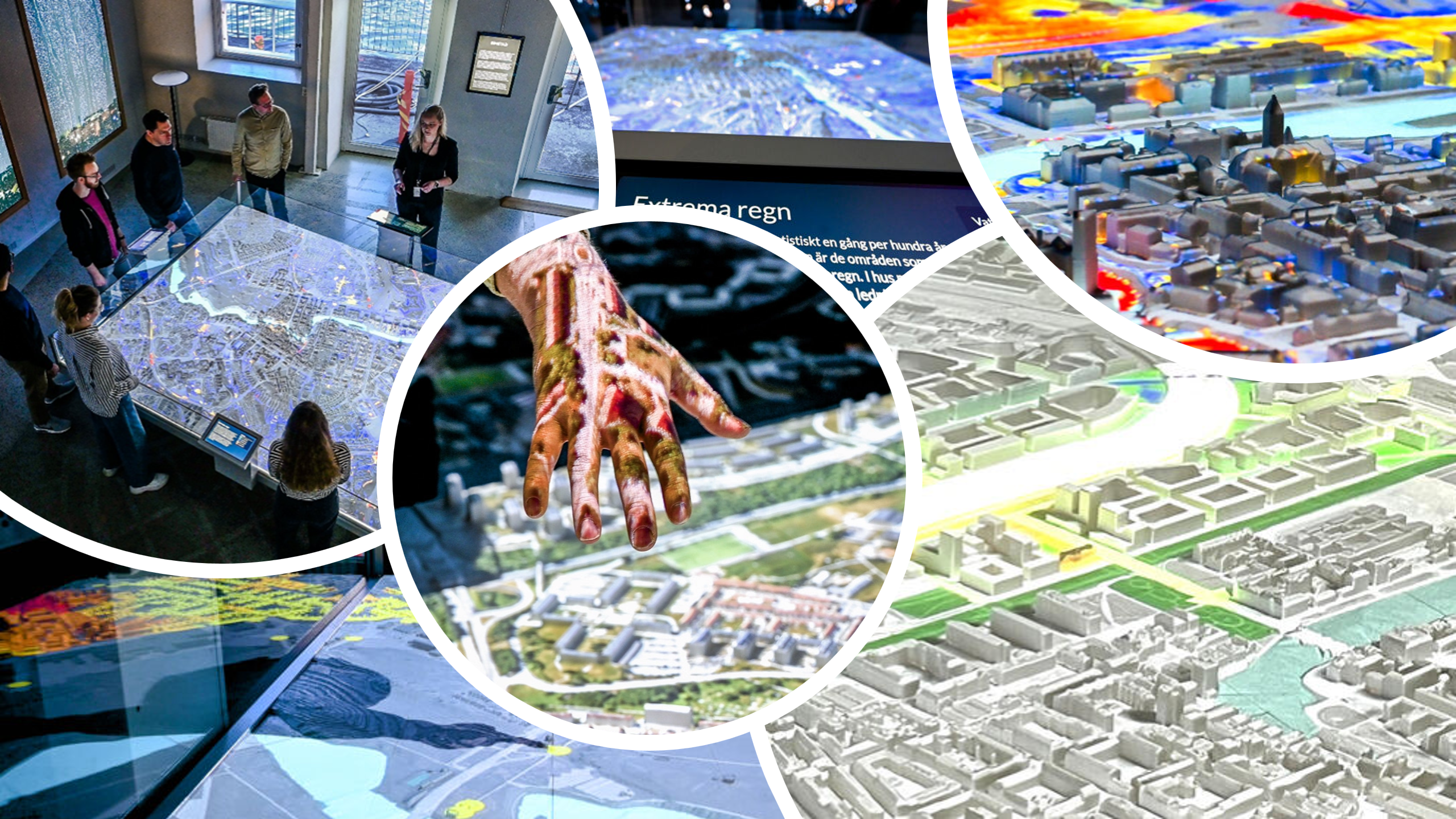
The Layer method controls which data layers Unreal displays and in what order they are composited. Each layer provides a visual element such as an image, color, movie, or live stream. Layers are drawn from bottom to top in the order they appear in the request.
A layer request consists of a list of layers, each of which must be one of the supported layer types:
All layer types support optional opacity, lighting control, and cropping (see Cropping).
Layer sets are sent using a LayerRequest. Unreal replies per layer with a LayerResponse.
LayerRequest
Defines the list of layers to display, or updates properties of layers already shown.
| name | type | required | description |
|---|---|---|---|
| type | string | ✓ | "LayerRequest" |
| flush | boolean | ✓ | If true, the current layer stack is cleared and fully replaced. If false, only provided parameters are updated—useful for smooth cropping or opacity animation. |
| layers | array | ✓ | Ordered list of layers. Must be of type: Image, Flow, Movie, Color, Base64, NDI. |
Example request:
{
  "type": "LayerRequest",
  "flush": true,
  "layers": [
    {
      "type": "image",
      "id": "1_parks",
      "raster": "Parks",
    },
    {
      "type": "flow",
      "id": "2_river",
      "raster": "River",
      "flow": {
        "texture": "Water",
        "scale": 200,
        "speed": 0.05,
      },
    },
    {
      "type": "image",
      "id": "3_citylights",
      "raster": "Citylights",
      "opacity": 0.5,
      "emission": 10,
    },
  ],
}
LayerResponse
Unreal sends a response for each processed layer.
| name | type | description |
|---|---|---|
| type | string | "LayerResponse" |
| id | string | The layer's identifier. |
| error | string | Optional error message (e.g., missing file). |
Example response:
{
  "type": "LayerResponse",
  "id": "Basemap/City",
  "error": ""
}
Image Layer
The Image layer displays a standard raster image (typically PNG or similar). It is the most common layer type and serves as the foundation for basemaps, overlays, and static visual information.
Image layers support opacity, lighting interaction, and optional cropping.
Properties
An Image layer includes all base layer properties plus its own required fields.
| name | type | required | default | description |
|---|---|---|---|---|
| type | string | ✓ | - | "image" |
| id | string | ✓ | - | Unique identifier used to update this layer |
| raster | string | ✓ | - | Path to the image file, e.g. "Folder/LayerName" |
| opacity | number | 1 | Opacity (0–1) | |
| emission | number | 0 | If 0, affected by lighting; if 1–, emit light | |
| crop | SliceCrop | CircleCrop | - | Optional cropping method |
Example (simple image):
{
  "type": "image",
  "id": "my_image"
  "raster": "Folder/Image"
}
Example (with extra parameters):
{
  "type": "image",
  "id": "1_heatmap",
  "raster": "Layers/Heatmap",
  "opacity": 0.6,
  "emission": 2,
  "crop": {
    "type": "slice",
    "slice": {
      "min_u": 0.1,
      "max_u": 0.6,
      "min_v": 0.2,
      "max_v": 0.8
    }
  }
}
Flow Layer
The Flow layer represents a static image where RGB channels encode movement, used to animate a texture across the layer (e.g., water currents or vector fields). Flow layers are typically paired with a texture to create motion effects and support opacity, lighting interaction, and optional cropping.
Properties
A Flow layer includes all base layer properties plus its own specific fields.
| name | type | required | default | description |
|---|---|---|---|---|
| type | string | ✓ | - | "flow" |
| id | string | ✓ | - | Unique identifier used to update this layer |
| raster | string | ✓ | - | Path to the flow field image, e.g., "Folder/FlowName" |
| flow.texture | string | ✓ | - | Filename of the texture to animate over the flow field (e.g., "Flow/Noise") |
| flow.scale | number | 200 | Scale of the animated texture | |
| flow.speed | number | 0.05 | Speed at which the texture animates across the flow | |
| opacity | number | 1 | Opacity (0–1) | |
| emission | number | 0 | If 0, affected by lighting; if 1–, emit light | |
| crop | SliceCrop | CircleCrop | - | Optional cropping method |
Example:
{
  "type": "flow",
  "id": "my_river",
  "raster": "Flow/River",
  "flow": {
    "texture": "Flow/Noise",
    "scale": 300,
    "speed": 0.08
  }
}
Movie Layer
The Movie layer displays a video file, typically MP4, as a visual element on the map.
Properties
A Movie layer includes all base layer properties plus its own specific fields.
| name | type | required | default | description |
|---|---|---|---|---|
| type | string | ✓ | - | "movie" |
| id | string | ✓ | - | Unique identifier used to update this layer |
| raster | string | ✓ | - | Path to the movie file, e.g., "Folder/MovieName" |
| movie.speed | number | 1 | Playback speed | |
| opacity | number | 1 | Opacity (0–1) | |
| emission | number | 0 | If 0, affected by lighting; if 1–, emit light | |
| crop | SliceCrop | CircleCrop | - | Optional cropping method |
Example:
{
  "type": "movie",
  "id": "my_movie",
  "raster": "Movies/IdleMovie",
  "movie": {
    "speed": 1.0
  }
}
Color Layer
The Color layer displays a solid color overlay on the map. Color layers are useful for tinting, highlighting areas, or providing a visual background.
Properties
A Color layer includes all base layer properties plus its own specific fields.
| name | type | required | default | description |
|---|---|---|---|---|
| type | string | ✓ | - | "color" |
| id | string | ✓ | - | Unique identifier used to update this layer |
| color | string | ✓ | - | Hex color code, e.g., "#FF0000" |
| opacity | number | 1 | Opacity (0–1) | |
| emission | number | 0 | If 0, affected by lighting; if 1–, emit light | |
| crop | SliceCrop | CircleCrop | - | Optional cropping method |
Example:
{
  "type": "color",
  "id": "green",
  "color": "#00FF00",
  "opacity": 0.5
}
Base64 Layer
The Base64 layer displays an image encoded as a Base64 string. This is useful for dynamically generated content, drawings, or overlays that are created at runtime.
Properties
A Base64 layer includes all base layer properties plus its own specific fields.
| name | type | required | default | description |
|---|---|---|---|---|
| type | string | ✓ | - | "base64" |
| id | string | ✓ | - | Unique identifier used to update this layer |
| base64 | string | ✓ | - | Base64-encoded image data |
| opacity | number | 1 | Opacity (0–1) | |
| emission | number | 0 | If 0, affected by lighting; if 1–, emit light | |
| crop | SliceCrop | CircleCrop | - | Optional cropping method |
Example:
{
  "type": "base64",
  "id": "my_image",
  "base64": "iVBORw0KGgoAAAANSUhEUgAA..."
}
NDI Layer
The NDI layer displays a live rasterized video stream from an NDI source. NDI streams act as plugins for this exhibition: a separate application running on the computer can generate live visualizations (e.g., public transportation data), which are rasterized via NDI so Unreal can display them in real-time.
For examples of setting up NDI streams with TrafikLab, see the TrafikLab setup guide.
Properties
An NDI layer includes all base layer properties plus its own specific fields.
| name | type | required | default | description |
|---|---|---|---|---|
| type | string | ✓ | - | "ndi" |
| id | string | ✓ | - | Unique identifier used to update this layer |
| ndi.machine | string | - | Name of the host machine. Defaults to the local machine | |
| ndi.stream | string | ✓ | - | NDI stream key, e.g., "TrafficOverlayNDI" |
| opacity | number | 1 | Opacity (0–1) | |
| emission | number | 0 | If 0, affected by lighting; if 1–, emit light | |
| crop | SliceCrop | CircleCrop | - | Optional cropping method |
Example:
{
  "type": "ndi",
  "id": "TrafficData",
  "ndi": {
    "stream": "TrafficOverlayNDI"
  }
}
Cropping
Cropping allows a layer to be restricted to a specific region of the map. Two types of cropping are supported:
- SliceCrop — crops the layer to a rectangular area
- CircleCrop — crops the layer to a circular region
Both cropping methods can be applied to any layer type via the crop property.
SliceCrop
SliceCrop crops the layer into a rectangular region using normalized UV coordinates.
| name | type | required | default | description |
|---|---|---|---|---|
| type | string | ✓ | - | "slice" |
| slice.min_u | number | 0 | Minimum U coordinate (0–1) | |
| slice.max_u | number | 1 | Maximum U coordinate (0–1) | |
| slice.min_v | number | 0 | Minimum V coordinate (0–1) | |
| slice.max_v | number | 1 | Maximum V coordinate (0–1) |
Example:
{
  "type": "slice",
  "slice": {
    "min_u": 0.1,
    "max_u": 0.8,
    "min_v": 0.2,
    "max_v": 0.7
  }
}
CircleCrop
CircleCrop crops the layer into a circular region.
| name | type | required | default | description |
|---|---|---|---|---|
| type | string | ✓ | - | "circle" |
| circle.u | number | 0.5 | Center U coordinate (0–1) | |
| circle.v | number | 0.5 | Center V coordinate (0–1) | |
| circle.radius | number | 0.5 | Radius of the circle (0–1, where 1 = full map size) |
Example:
{
  "type": "circle",
  "circle": {
    "u": 0.5,
    "v": 0.5,
    "radius": 0.25
  }
}